Versions and logging
Every save is a version, and every run is a record. Between the two, you can see what the task was at any point and what happened each time it ran.
Versions
Each time you save a task, Aisle records a new version. Open the Versions tab on the task page to see them, newest first — version number, name, change summary, author, and when it was saved. The version that matches the live task is flagged Latest.
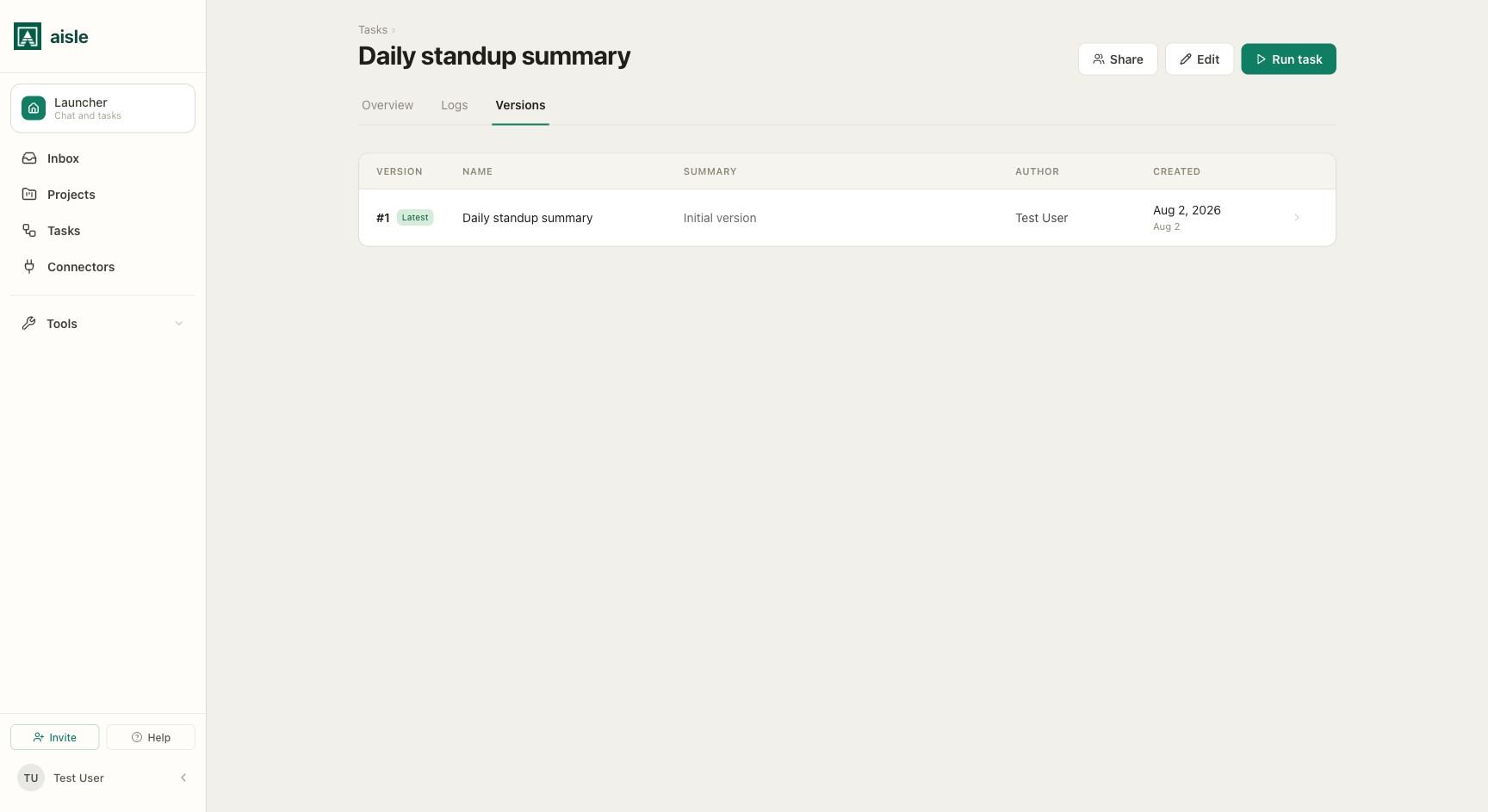
Open a version to see its script. When a previous version exists, a This version / Changes from vN toggle switches between the version's code and a line-by-line diff against the one before it.
Rollback
To go back to an earlier version, open it and click Restore this version. Aisle confirms, then makes that version the live task; your current draft is saved as a new version the next time you save, so nothing is lost. Restoring requires edit access to the task.
Run logs
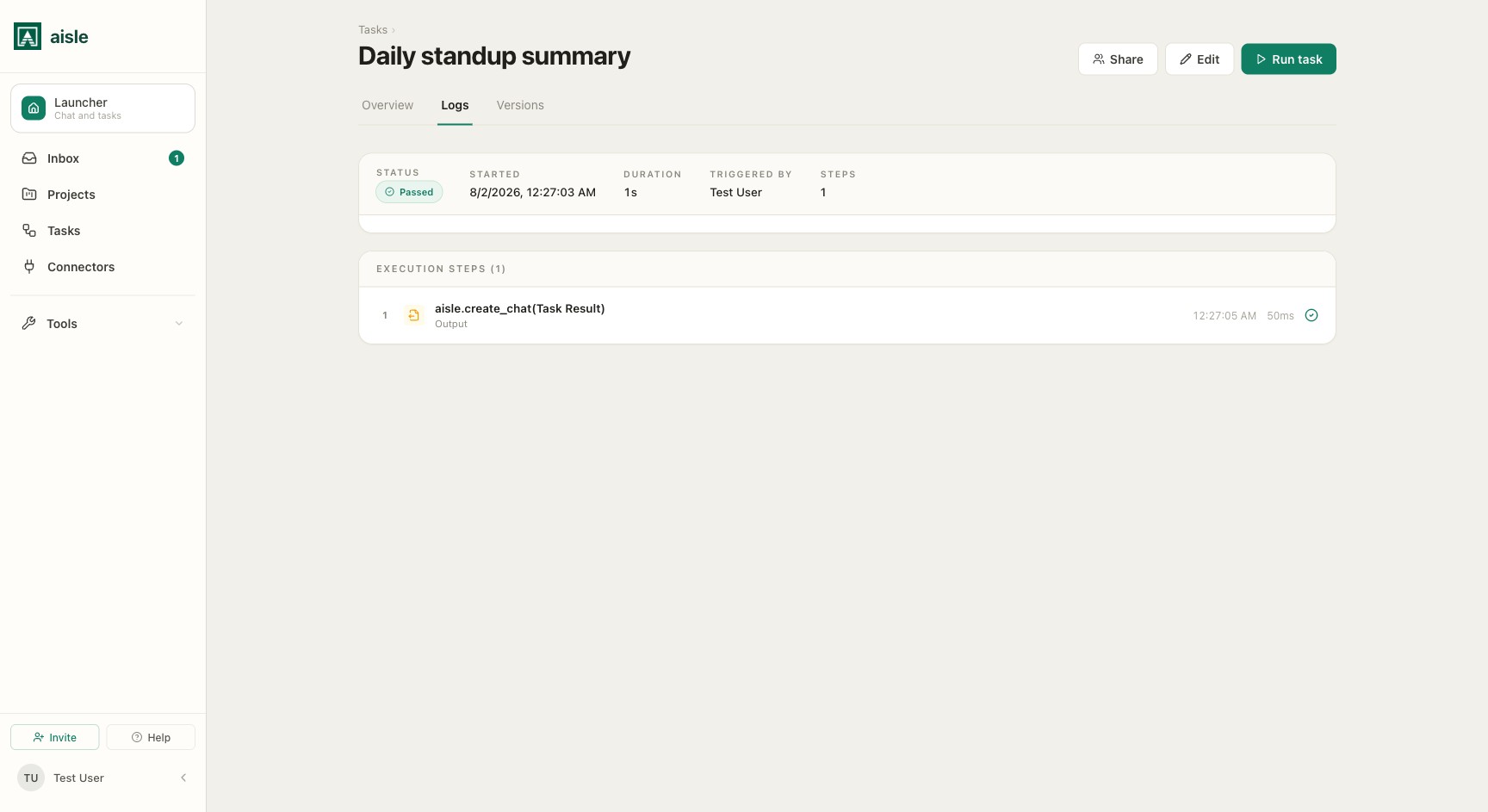
Every run creates an execution record with its status, inputs, output, errors, and attempts. Open the Logs tab on the task page for the run history, and open a run for its detail. The run log shows each recorded step — prompt calls, integration calls, output, and errors — as it happens.
A run moves through these statuses:
| Status | Meaning |
|---|---|
| Queued | Waiting for capacity or a concurrency slot |
| Running | The task is executing |
| Retrying soon | A retry is scheduled after a failed attempt |
| Cancelling | Cancellation has been requested |
| Cancelled | The run was stopped |
| Success | The task completed |
| Error | The task failed |
| Timeout | The task exceeded its timeout |
Attempts and retries
When retries are enabled, one run can contain several attempts. Aisle records each attempt's number, status, duration, and error, and an Attempts selector on the run lets you switch between them.
For tasks that process batches, use checkpoints so a retry skips work that already succeeded:
for customer in customers:
    key = f"customer:{customer['id']}"
    if aisle.checkpoint.done(key):
        continue

    process_customer(customer)
    aisle.checkpoint.mark(key)
Checkpoints are run-scoped and survive retries, so a re-run resumes instead of starting over.
Cancellation
A run that is queued, running, or waiting to retry can be cancelled from its detail page. A running task first enters Cancelling while the runner acknowledges the request, then settles as Cancelled.
Where to go next
- Deployment — triggers, entry points, and run limits.
- SDK Reference —
aisle.checkpoint,aisle.run, and retry configuration.