Sharing Conversations
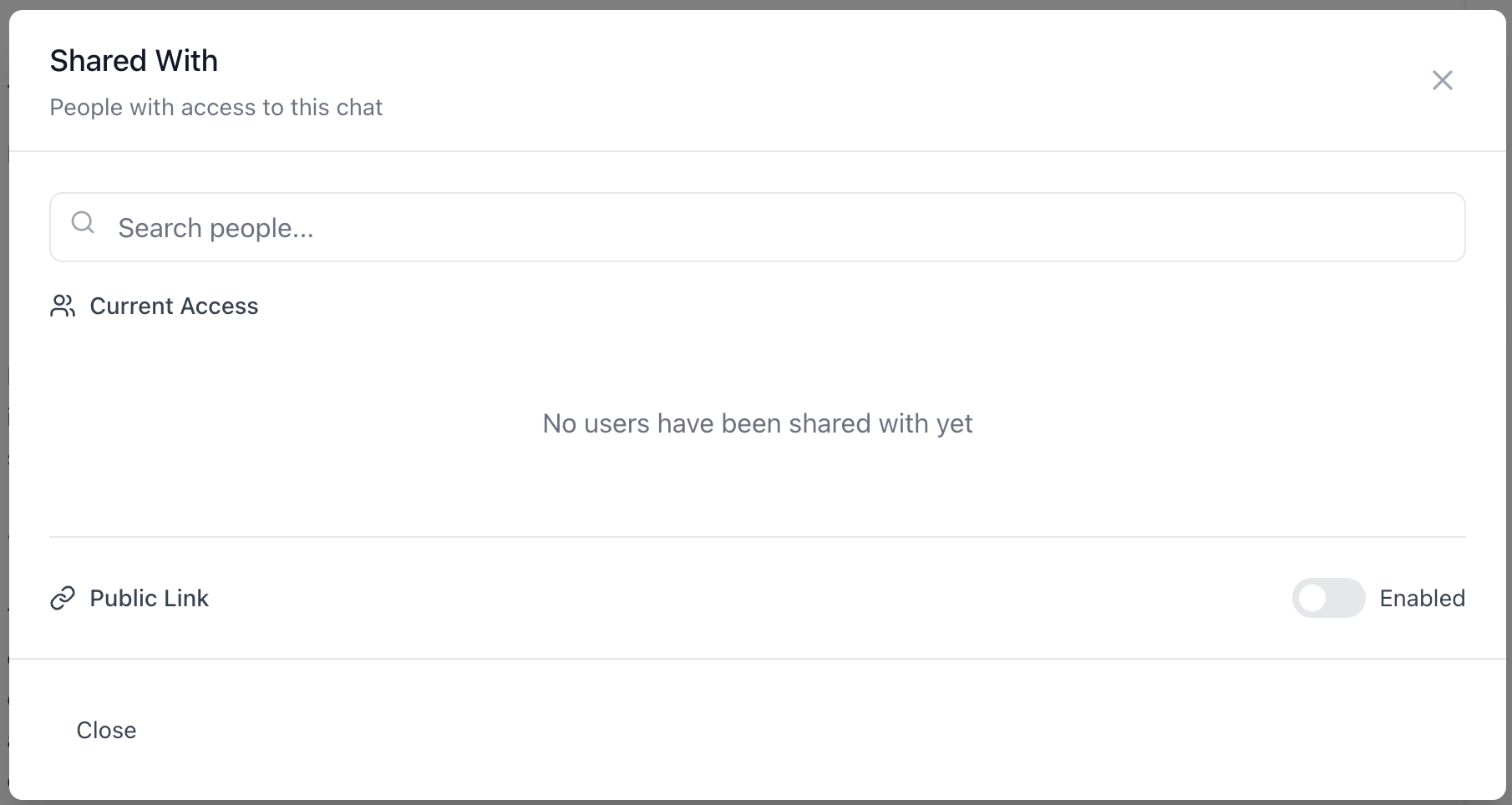
Conversations can be shared internally with specific colleagues, with everyone in your organization, or externally via a public link.
Internal sharing
Click the share button in any conversation, then enter the recipient's email address.
When sharing with a colleague, choose their access level:
| Role | What the recipient can do |
|---|---|
| Write (default) | View the conversation and add messages to it |
| Read | View the conversation only |
The Write role means multiple people can contribute to the same conversation thread. This is how teams collaborate on a problem in real time - anyone with write access can send messages and the AI responds, with the full history visible to everyone.
Notification - you can optionally send the recipient an email notification when sharing. Notifications only go out for new shares, not when you change an existing share's role.
Shared conversations appear in the recipient's Shared tab in the Inbox.
Organization-wide sharing
Change sharing to org-wide to make the conversation visible to all members of your organization. Organization members can view and contribute to the conversation without needing a specific invite.
Managing access
As the conversation owner, you can add people, remove people, change roles, or switch between individual and org-wide sharing at any time. Removing someone revokes their access immediately.
Public links
Toggle Public Link on to generate a URL that anyone can open - no Aisle account required.
Public links are always read-only. Visitors see all messages, AI responses, attached files, and the model used. They cannot add messages or continue the conversation.
Turn the toggle off to revoke the link. It stops working immediately.
What recipients see
Whether accessed via internal share or public link, recipients see:
- All messages in the conversation
- All AI responses
- Attached files
- The model used
- Message timestamps
They do not see your other conversations, personal settings, or anything outside the shared conversation.
Forking a shared conversation
Any org member with access to a shared conversation can fork it to branch off their own private copy. Their fork is independent - changes in the original do not affect the fork, and vice versa.