Assigning tools
A task reaches your connected services through aisle.integrations. Before the script can call a service, you assign the credential the task is allowed to use. You do this in the Tools panel — you don't paste keys into code.
The Tools panel
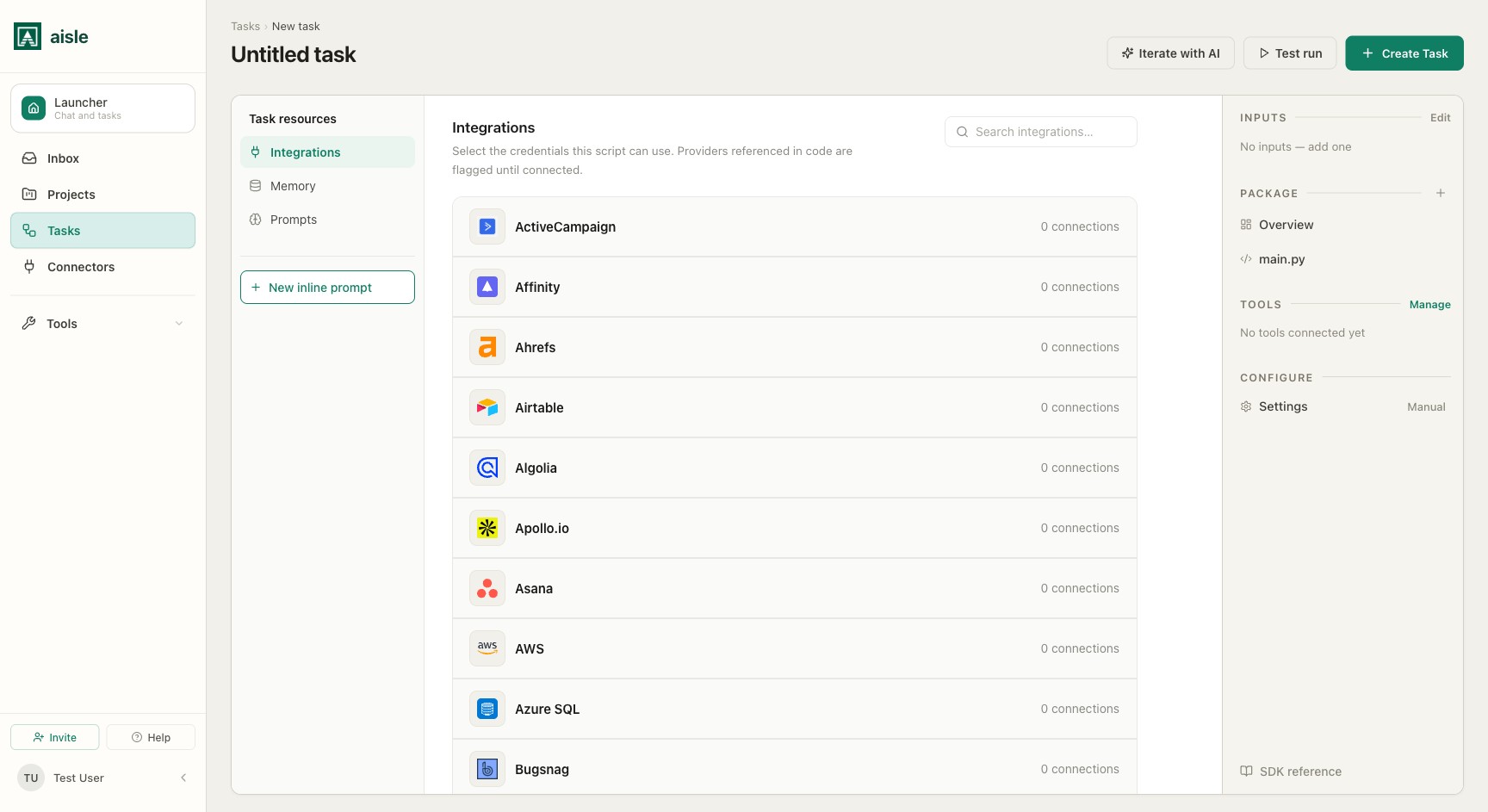
Open Tools from the task editor's side panel. It has three sections in the left nav:
- Integrations — the connected accounts (credentials) this script can use.
- Memory — the memory folders the script can search and write to.
- Prompts — library prompts bound to the task. (Inline prompts created in the editor belong to the task automatically — see Inline prompts.)
Under Integrations, each provider you've connected on the Connectors page appears with its available credentials. Select the credential the task should use for that provider. Providers your code references are flagged until a credential is selected.
Calling an integration
Once a credential is assigned, call the provider from your code. The shape is always aisle.integrations.<service>.<mode>(**params):
deals = aisle.integrations.pipedrive.search_deals(org_name=company)

aisle.integrations.slack.create_message(
    channel="#revenue",
    text=f"Brief ready for {company}",
)
The service is an attribute, the operation is an attribute, and parameters are keyword arguments. There is no client to construct and no key in the script. Results come back as dictionaries keyed by the provider's data field — check the SDK Reference for each provider's modes and parameters.
How credentials resolve
The script never holds a secret. When you call an integration, Aisle resolves the stored credential on the server, decrypts it, makes the real API call, and returns only the result.
- Default credential. With no
credential=argument, the call uses the credential you selected for that provider in the Tools panel. If nothing is selected, the call fails — there is no silent fallback. - Explicit credential. Pass
credential="acme-corp"to choose a connection by name (or UUID) at call time. This lets one task act on different accounts across runs without forked copies of the script.
invoices = aisle.integrations.xero.list_invoices(
    status="AUTHORISED",
    credential="acme-corp",
)
A task can only use credentials that have been granted to it. Naming any other credential fails closed. OAuth tokens are refreshed server-side, so a connection you authorize once keeps working.
Direct calls, not a model
Integration operations are direct, deterministic API calls. There is no model deciding which tool to call or with what arguments — aisle.integrations.gmail.search(...) runs the Gmail search you wrote, with the arguments you passed, every run. That makes a failure a line in your script you can reason about, retry, and log, and it means reaching a service costs no model tokens.
This is distinct from a task being exposed as a tool to an external agent over MCP, which is a distribution feature — see Deploying & sharing.
Reaching a service without a connector
For any REST API that doesn't have a first-class integration, use aisle.http:
resp = aisle.http.request(
    "GET",
    "https://api.example.com/v1/records",
)
aisle.http.request returns {status, headers, body}. It is proxied through Aisle for URL validation, so it runs on the same runtime with the same logging as any other call.
Where to go next
- Inline prompts — the AI calls a task makes.
- Deployment — trigger the task and pick a credential from the run form.
- SDK Reference — the full
aisle.integrationsandaisle.httpAPI.