Webhook
Trigger Aisle workflows from any external service that can send an HTTP POST request. Use this for internal systems, services without a dedicated integration, or any situation where you need a generic HTTP endpoint.
This is different from the API entry point, which is designed for synchronous requests where the caller waits for a result. The Webhook entry point is designed for event-driven flows - the external service fires and forgets, and Aisle processes asynchronously.
Setup Instructions
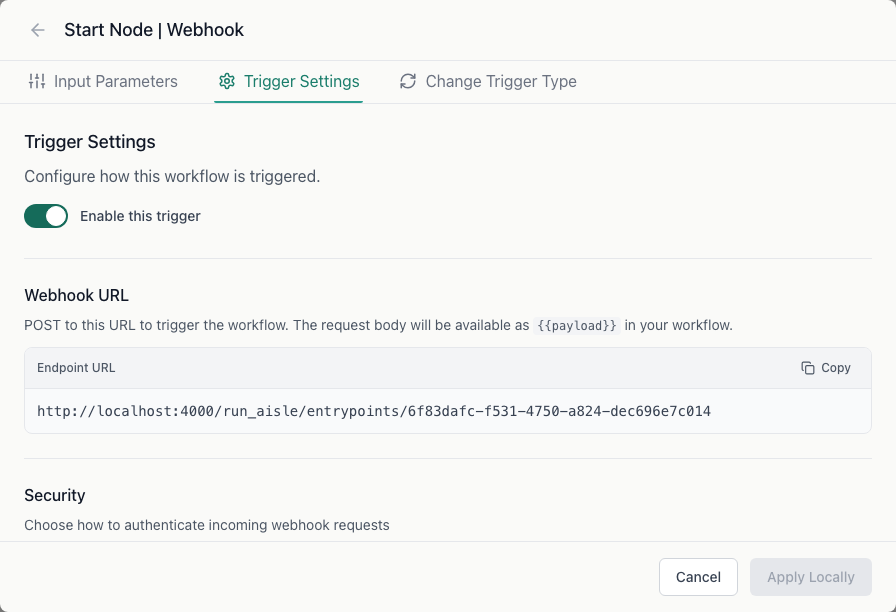
Step 1: Create the workflow
Create a new workflow and select Custom Webhook as the trigger type.
Step 2: Configure security
In the Trigger Settings tab, choose a security mode:
| Mode | How it works |
|---|---|
| None | No verification - any POST to the URL triggers the workflow |
| Access Key | Requires a Bearer token in the Authorization header |
| Webhook Secret | HMAC-SHA256 signature verification with timestamp |
Webhook Secret mode is recommended for production. The sender must include:
X-Webhook-Signatureheader:sha256={HMAC_SHA256(secret, timestamp.body)}X-Webhook-Timestampheader: Unix timestamp (must be within 5 minutes of server time)
Copy the webhook URL from the trigger settings.
Step 3: Configure the external service
Paste the webhook URL into your external service. Configure the authorization header or signature based on the security mode you selected.
Workflow input variables
| Variable | Description |
|---|---|
payload | The complete JSON body sent to the webhook |
The entire request body is passed as payload. Use a Transform or Variable node to extract specific fields from it.
Callback URL (optional)
If you want Aisle to notify your system when the workflow completes, enter a Callback URL in the trigger settings. Aisle will POST the workflow result to that URL when execution finishes.
Optionally set a Callback Secret to sign the callback request with an HMAC signature so your system can verify it came from Aisle.
Troubleshooting
Workflow not triggering - Verify the webhook URL is correct and the external service is sending a POST request with a JSON body.
Signature verification failed (Webhook Secret mode) - Check that the timestamp is within 5 minutes of server time and the HMAC is computed from {timestamp}.{body} with the shared secret.