Microsoft Teams Webhook
Trigger Aisle workflows when new messages are posted in a Teams channel. Like Telegram, Teams webhook registration is handled automatically by Aisle via the Microsoft Graph API - no manual URL configuration needed.
Connector Setup
First, connect Microsoft Teams from the Connectors page. You'll need to authorize Aisle to access your Microsoft 365 account.
Setup Instructions
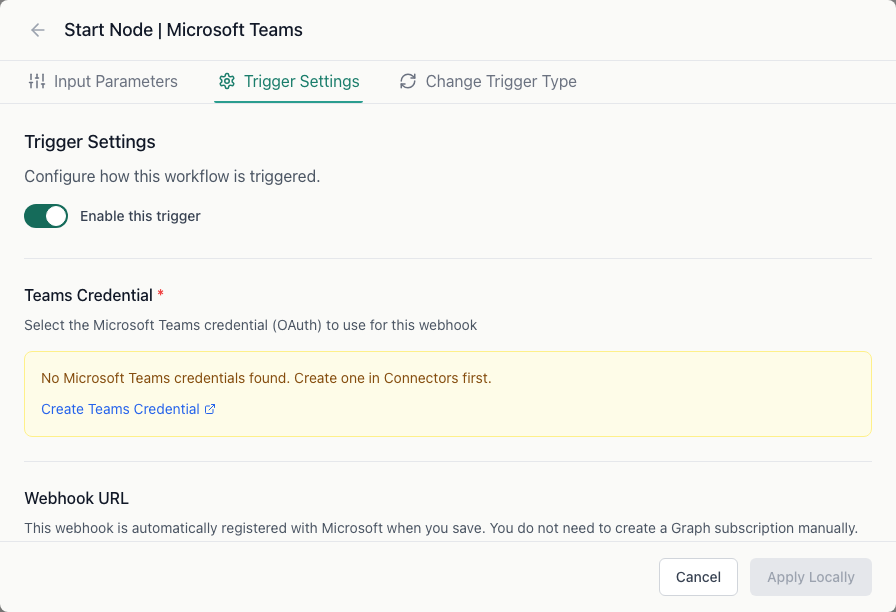
Step 1: Create the workflow
Create a new workflow and select Microsoft Teams as the trigger type.
Step 2: Configure trigger settings
In the workflow's Trigger Settings tab:
- Team ID - the ID of the Teams team to monitor
- Channel ID - the ID of the channel within that team
- Change Types - which message events to receive (default:
createdonly). Options:created,updated,deleted
Aisle automatically registers a subscription with Microsoft Graph for the channel you specify. Subscriptions are renewed automatically every 60 hours.
Finding your Team and Channel IDs
In Microsoft Teams, right-click the channel name and select Get link to channel. The link contains both the team and channel IDs in the URL.
Alternatively, use the Microsoft Teams admin center or the Graph API to look up IDs.
Workflow input variables
| Variable | Description |
|---|---|
change_type | Type of change (created, updated, deleted) |
team_id | Teams team ID |
channel_id | Channel ID |
message_id | Message ID |
tenant_id | Azure tenant ID |
subscription_id | Microsoft Graph subscription ID |
resource | Full Graph resource path |
resource_data | Additional resource data from the notification |
payload | Complete raw Microsoft Graph notification payload |
Note: Microsoft Graph change notifications for Teams messages do not include message content directly. To retrieve the message body, use a Microsoft Teams node in the workflow to fetch the message by ID.
Troubleshooting
No events arriving - Verify the Team ID and Channel ID are correct. Check that the Teams connector authorization is still valid in your Connectors page.
Subscription expired - Aisle renews subscriptions automatically. If gaps appear in trigger activity, re-authorize the Teams connector to force a fresh subscription.