Prompt Management for teams
Build once, deploy everywhere. Version-controlled prompts with variables, structured outputs, and model-agnostic deployment.
Customer Feedback Analyzer
v12 · Last edited 2 hours ago
 Claude Sonnet 4.5
 Slack
Slack Jira
Jira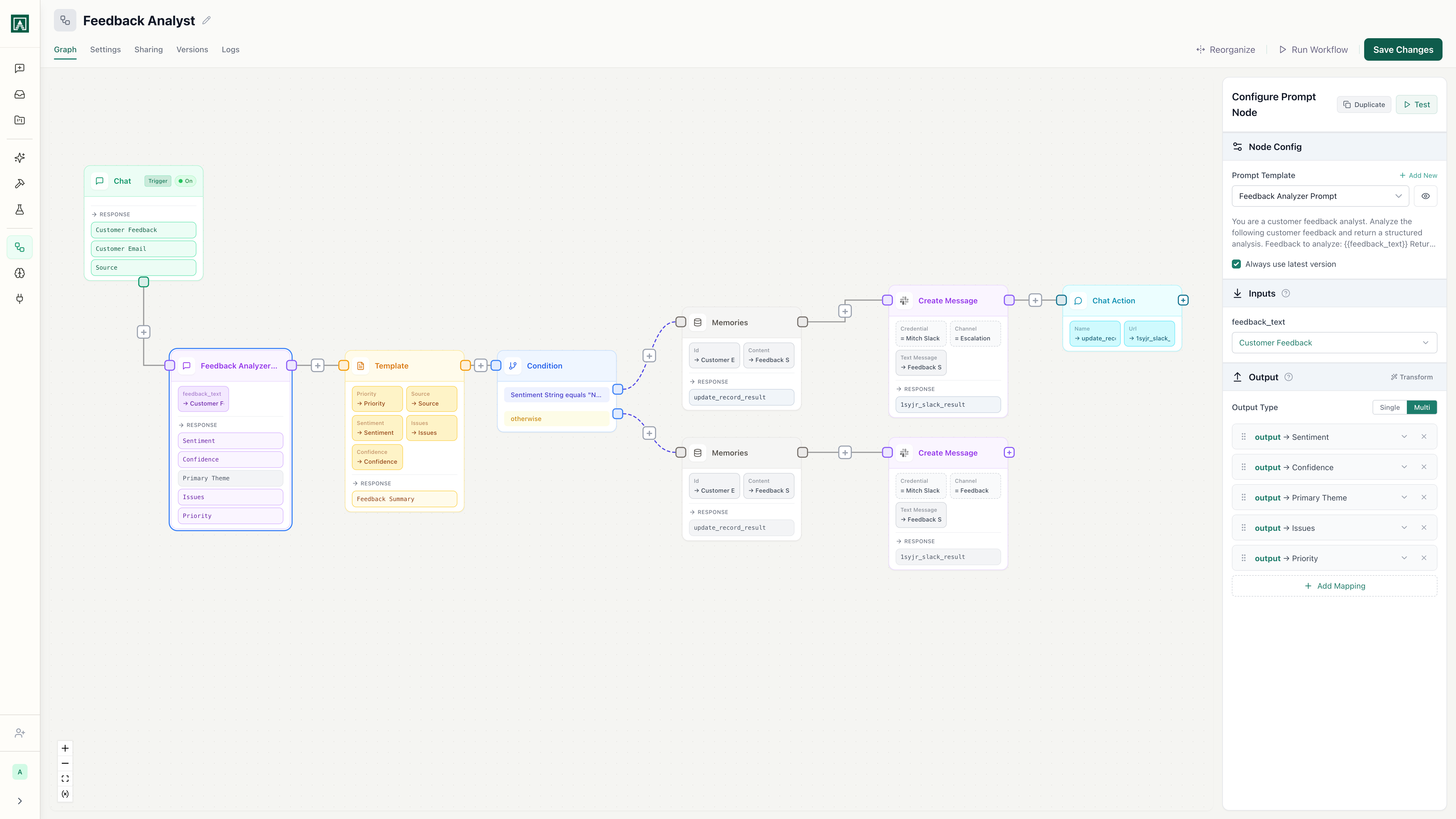
Works with every model
- Anthropic
 OpenAI
 Gemini
 xAI
xAI OpenRouter
 Amazon
 Perplexity
 MoonshotAI
 Meta
Meta Qwen
Qwen
Everything you need to manage prompts at scale
Version control for every prompt
Every edit creates a new version. Diff any two versions side-by-side, see who changed what, and roll back with one click. Prompt changes stop being untracked edits in chat threads.
See it in actionModel-agnostic deployment
Switch from GPT-4 to Claude to Gemini with a dropdown. Your prompt, variables, and output schema work across any provider. No vendor lock-in, no rebuilding.
See it in action
Variables and structured outputs
Define input variables once, enforce JSON output schemas, and use the same prompt across every deployment context. Get predictable, schema-validated responses instead of parsing unstructured text.
See it in actionDeploy to chat, API, or workflow
One prompt serves your team in chat, your application via API, and your automations in workflows. Change the prompt once and every deployment gets the update.
See it in actionTeam sharing and permissions
Control who can edit, run, or view each prompt. Build a shared library that your whole team discovers and uses. Stop being the single point of failure for your team's AI tools.
See it in actionThree steps to production prompts
Build your prompt
Define variables, write instructions, choose a model, and set output schemas. Everything lives in one place.
Test and iterate
Use Playgrounds to compare the same prompt across multiple models simultaneously. Find the best fit before you ship.
Deploy and share
One click to deploy to chat, API, or a scheduled workflow. Share with your team and set permissions.
Works with the tools you already use
Connect prompts to Slack, Google Drive, GitHub, and dozens more. Pull data in, push results out, and let AI coordinate across your stack.
 Slack
Slack GitHub
 Jira
Jira Google Drive
 Gmail
Gmail Outlook Mail
 PostgreSQL
 AWS Bedrock
 Azure SQL
 Asana
Asana Airtable
 Gong
Gong Pipedrive
 AffinitySlackGitHubJiraGoogle DriveGmailOutlook MailPostgreSQLAWS BedrockAzure SQLAsanaAirtableGongPipedriveAffinity
 Mixpanel
 Supabase
 Fireflies.ai
 Fathom
 Ahrefs
 Semgrep
 SERP API
 Google Maps
 Reddit
 X (Twitter)
 xAI Grok Search
 CoinGecko
 DeepWiki
 SupadataMixpanelSupabaseFireflies.aiFathomAhrefsSemgrepSERP APIGoogle MapsRedditX (Twitter)xAI Grok SearchCoinGeckoDeepWikiSupadata
Stop managing prompts in spreadsheets and chat threads.
Version control, team sharing, and multi-model deployment from one platform.