Projects puts every Aisle feature into one workspace that an agent orchestrates.
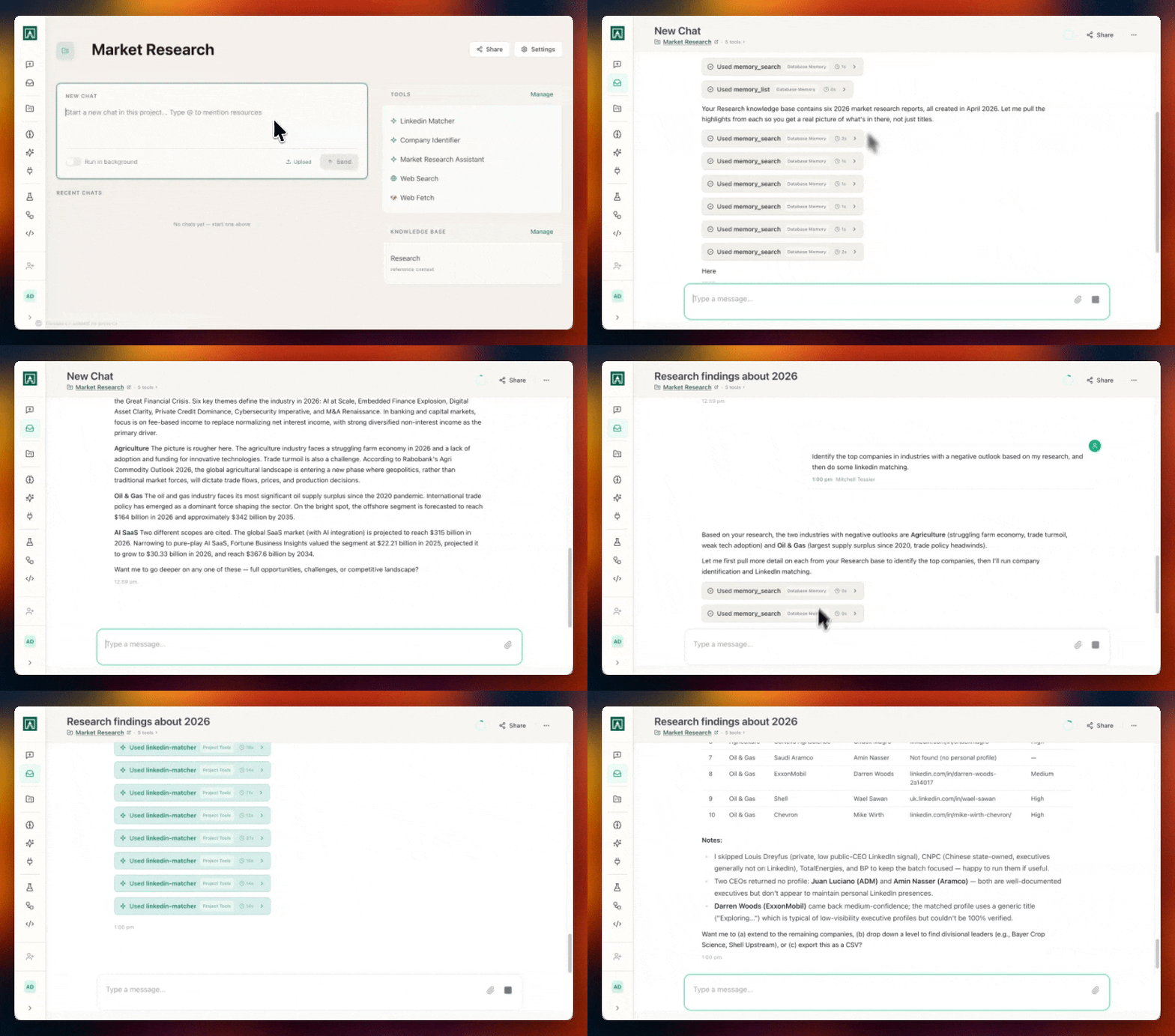
A project pulls together prompts, workflows, scripts, connectors, and memory folders into a single configurable space. You scope it to one domain: a deal, an account, or a campaign. The agent inside the project decides which tools to call when you give it a task.
You can build a project for sales pursuits, customer success, recruiting, or marketing campaigns.
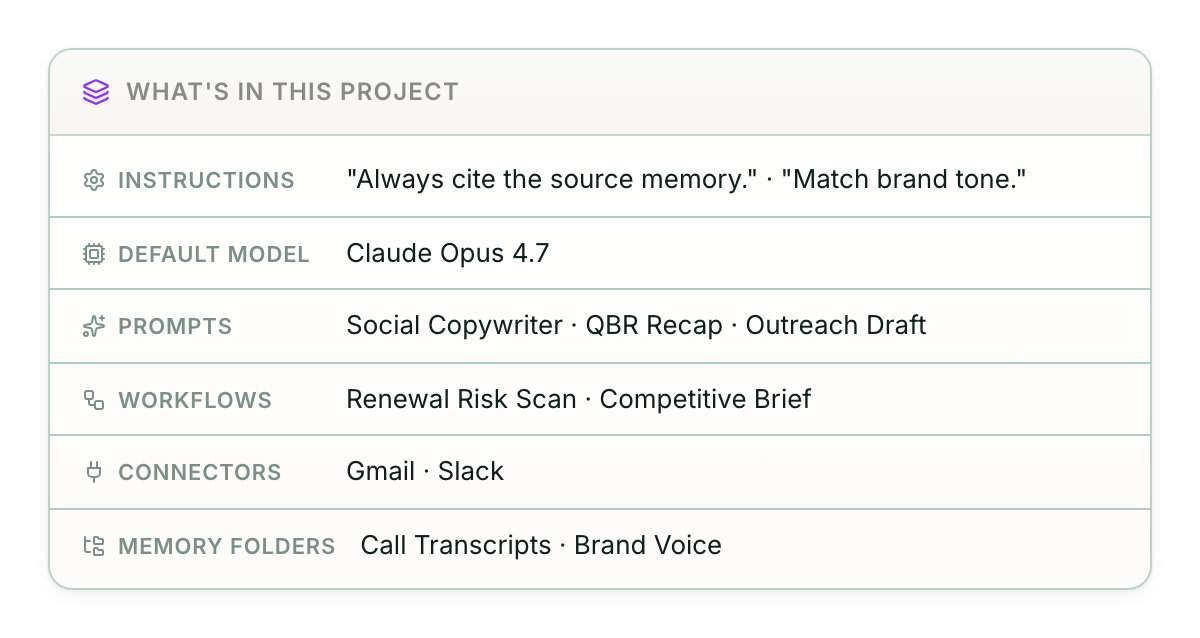
Projects assembles all of the aisle primitives together. You configure the workspace, attach the tools, and point at the data sources. The agent handles the orchestration from there. Ask "build me a Q3 plan for Acme" and it queries Acme's memory folder, runs the account-plan workflow, and returns a draft.
One sales team set up a project per active pursuit, each with the prospect's CRM data in a memory folder and a workflow that drafts briefing emails. When a rep opens the project before a call, they ask the agent for a pre-meeting brief. The agent queries the memory folder, pulls the latest CRM activity, and writes the brief.
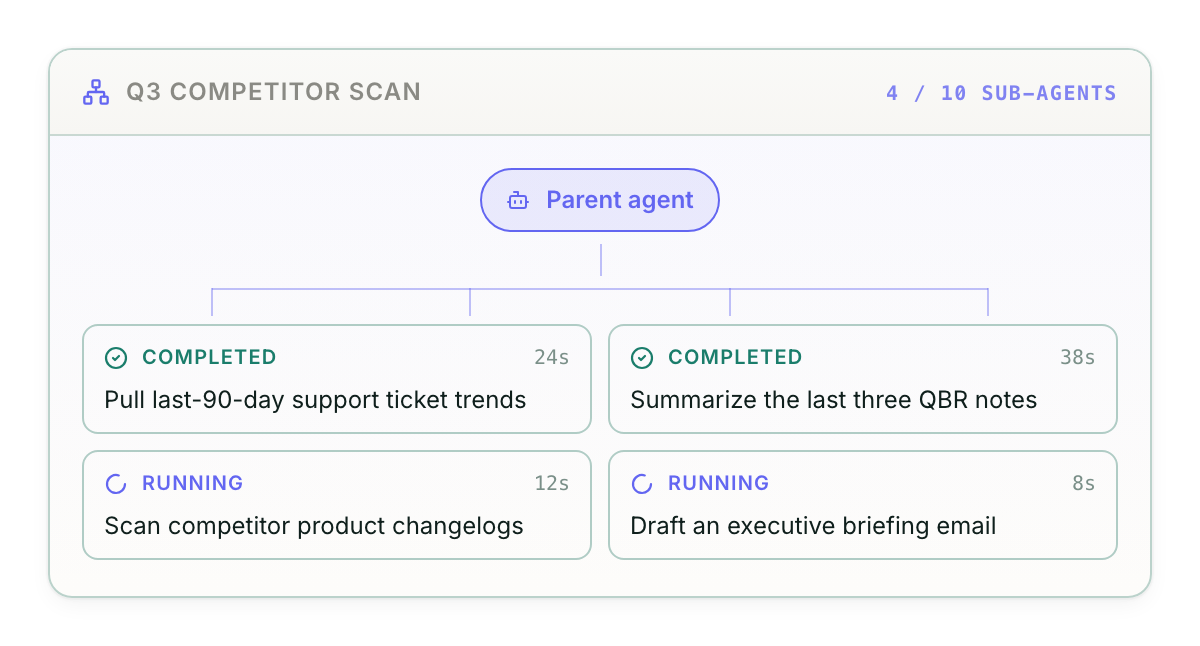
What's in this release:
- An agent in every project that routes each request to the right workflow, script, or connector
- Sub-agents for repeatable tasks, like a briefing-email sub-agent that pulls CRM activity and drafts the email
- Project-level sharing so teammates see the same prompts, workflows, and memory folders
- Scoped memory folders so the agent only sees the data relevant to the project
Open Aisle, create a project, attach a memory folder, and ask the agent for a brief on a current account or deal. You'll have a draft inside the first run. You can read the Project docs here.